
Availability tracking
Know who's free before
you build the rota
Stop chasing replies in a group chat. Volunteers mark their availability directly in EventRota — you see it all in one place before you start assigning anyone.
For volunteers
One tap per shift
Each shift is a simple Free / Busy toggle. Volunteers mark their availability from their phone, using a free account they set up in one step when they join.
Update any time
Availability can be changed up until you lock the rota. Changes are reflected immediately so the organiser always sees the current picture.
Prompted by email
When you send availability reminders, volunteers receive an email linking directly to their availability page.
For organisers
Summary per person
The People tab shows each volunteer's availability count next to their name — how many shifts they're free for and how many they've been assigned.
Assign confidently
When you open a rota cell to assign someone, availability indicators show you who's free for that shift. You're never assigning blind.
Over-assignment warnings
If you assign someone to more shifts than they're available for, their assignment count turns amber so you can catch conflicts before publishing.
In the rota
Availability sits right where you assign
Switch the rota to the person view and every volunteer becomes a row across the day's shifts. Each cell shows whether they're assigned, free, or busy — so filling a gap is a matter of reading down the column, not cross-referencing a separate list.
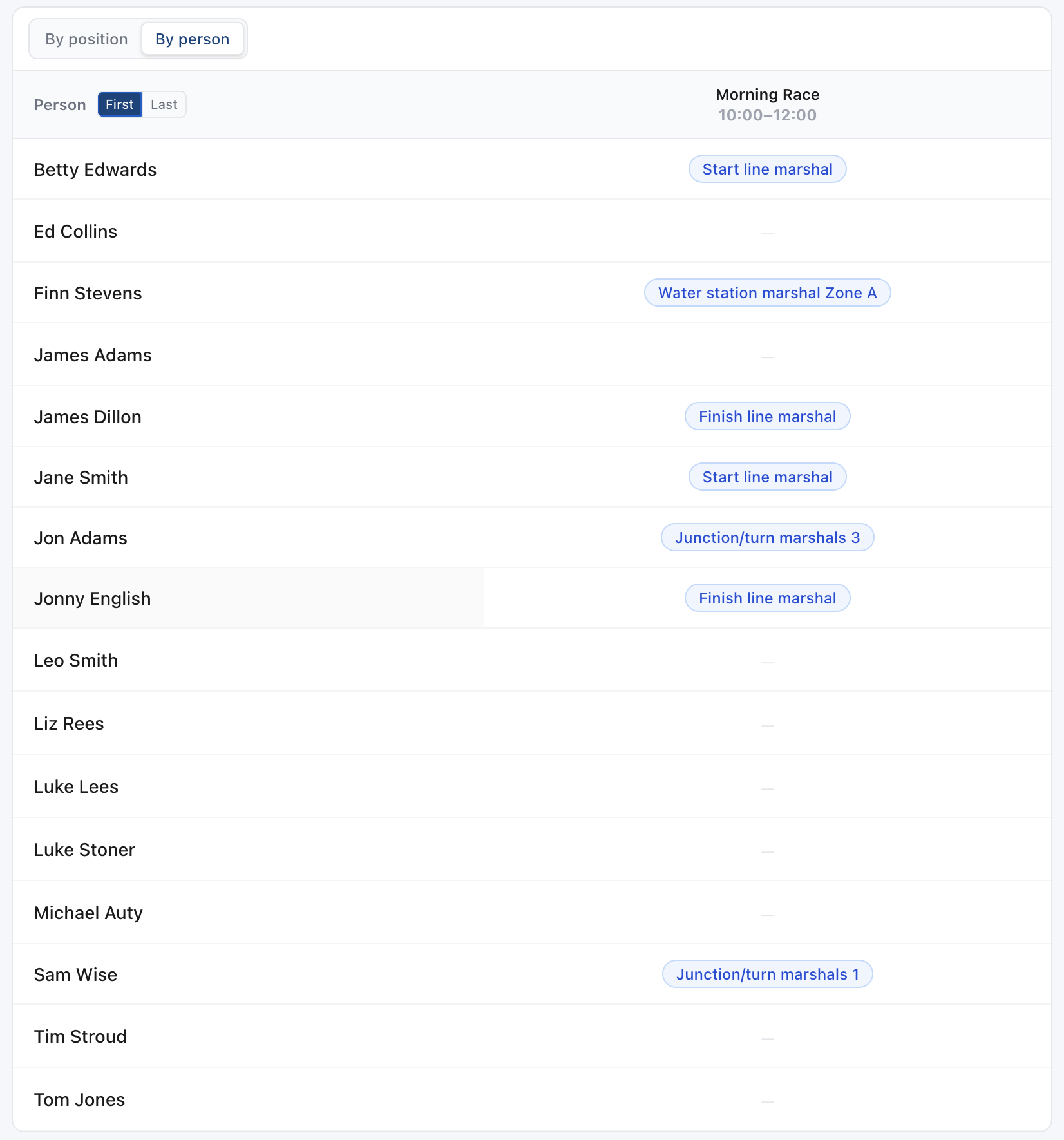
Free, busy or assigned
Every cell answers the only question that matters when you're filling a gap: can this person do this shift?
Rolled up on the Coverage page
Coverage turns the same answers into a count per day — how many people are free to place, and how many simply haven't replied yet.
See coverage →Chase the ones who haven't answered
The people who haven't set availability are the usual reason a rota won't close. They're counted separately so you know who to email.
Why availability tracking matters
The biggest source of rota mistakes is assigning people to shifts they can't actually do. EventRota makes availability explicit — volunteers confirm it, you see it, and the rota reflects it.
Without EventRota
Chasing replies via group chat or email
Without EventRota
Assigning people who said they'd be there but can't
Without EventRota
Discovering conflicts on the day of the event
With EventRota
Volunteers mark availability in under a minute
With EventRota
You assign from a confirmed-available pool
With EventRota
Conflicts surface before the rota is published
Start tracking availability
Free for up to 10 people per event. No credit card needed.
Get started